


In this newsletter
This week’s developments

Source: OpenAI
⚖️ OpenAI adds to Astra 230M US legal sources
In summary: OpenAI just launched ‘Astra for Law’. This is not a separately trained legal model, but GPT-6 Astra paired with legal instructions and a search index covering U.S. case law, statutes, regulations, court rules, and administrative decisions, across more than 230 million URLs. OpenAI intends to update this database daily.
The details:
The index draws on nonprofit Free Law Project's CourtListener, covering over 99.9% of published U.S. precedent case law, also updated daily
Eligible firms get Zero Data Retention, plus 26 partner plugins wiring ChatGPT to specialist software legal firms already use (e.g. Relativity and Clio)
Legal firms can also build their own tools on top this release. Examples include an agreement analyser, a deal diligence system, and a tool for drafting IPO filings
Important caveats: 1) It covers US case law only, 2) On benchmark tests, it passed correctness checks on 54% of 200 questions, against 38.7% for Astra using web search alone
Why it matters: This story boils down to a capable AI model made more accurate by pairing it with a comprehensive knowledge base. That base could instead be a project's own information (e.g. correspondence, deliverables, instructed changes) alongside published judgments showing how courts actually interpreted provisions in construction contracts (e.g. JCT and NEC). This can help Contract Administrators, clients and contractors make decisions. It could also act as a second pair of eyes on written correspondence - useful for an architect drafting an email, who might be warned that the wording could later be read as an instruction, admission, acceptance, waiver, or evidence in a dispute.
AEC's likely new hire: Information manager, responsible for keeping a project's information well structured and machine readable.
Source: Odyssey Systems
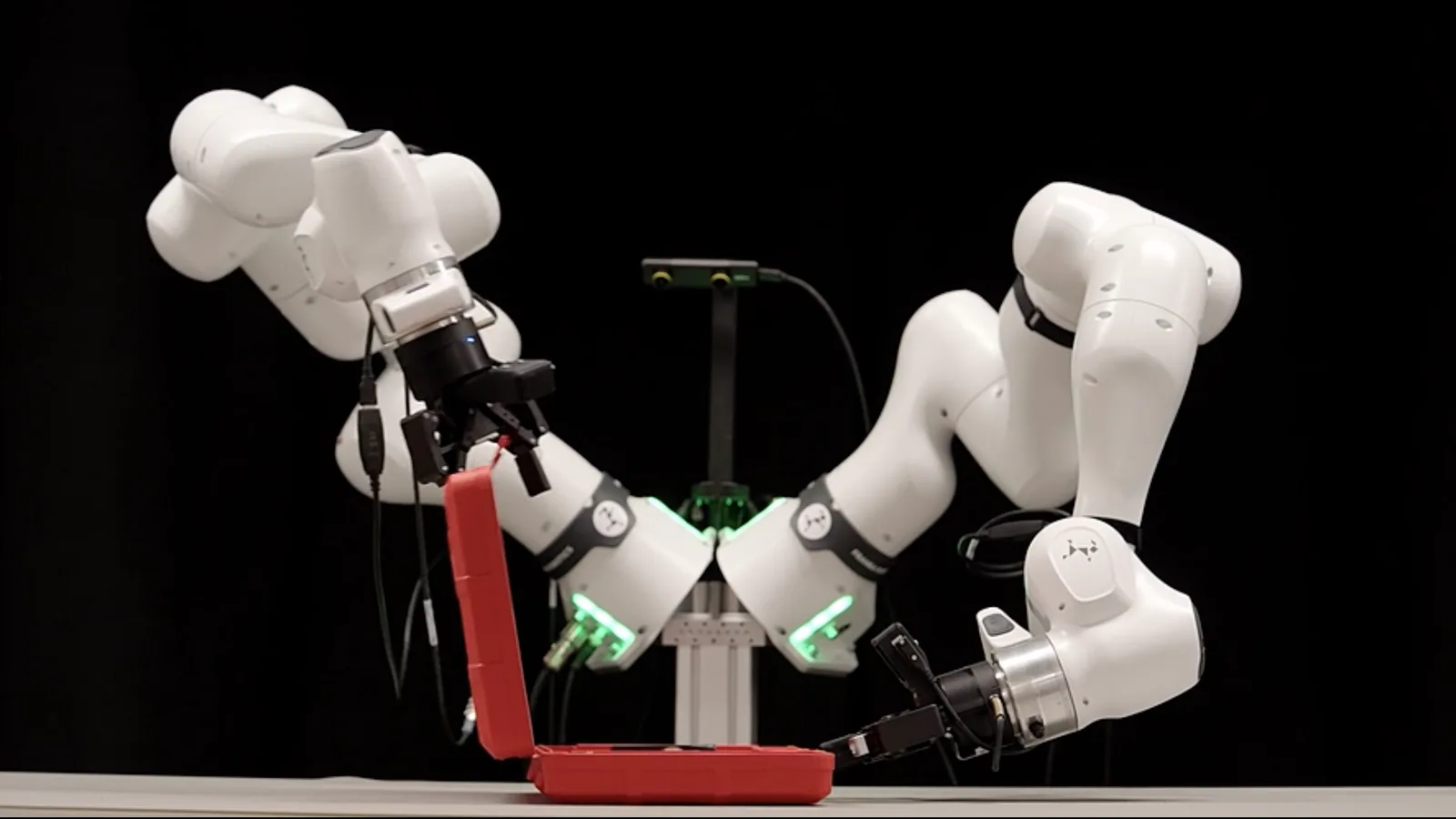
🤖 Robots could recover from mistakes no one taught it
In summary: Odyssey just revealed Odyssey-3, an AI foundation ‘world model’ that controls different types of robots (robots, humanoids, cars and drones) using the same pre-trained base. On their demos published using robot arms, it produced error recoveries that appear nowhere in its training.
The details:
An AI ‘world model’ is trained on visual observations of the world, intended to learn representations of physics, dynamics, cause-and-effect and human behaviour
That learned knowledge can then be adapted to different physical systems rather than training each type robot from scratch
This is fundamentally different to other types of models which rely on training robots with hundred of thousands of hours of video footage
Only early experimentation, but in theory a robot running on a ‘world model’ could encounter something it has never seen before, predict possible outcomes, and recover rather than simply failing because the exact situation was absent from its training data
Why it matters: World models could shorten the timeframe for robots to join the workforce on site. Robotics work in factories by stripping variability out of the environment, but live construction sites are the opposite: every site is different, materials vary, access is awkward, other trades interfere, and surfaces are never quite where the drawing puts them. A bathroom tiler or bricklaying robot isn't far-fetched — in the UK both trades are short of people, and bricklayers are now among the priciest on site.

Source: TypeSafe
⚡ Jev: an AI model that can answer without writing a word
In summary: TypeSafe just launched ‘Jev’, the first of a new model class it calls ‘System One’. Jev is a model designed for software to make decisions rather than for humans to have conversations with.
The details:
TypeSafe founder Diogo Almeida, who worked on the research behind ChatGPT at OpenAI, built Jev over two years in stealth
Jev produces something software can act on directly: classify, route, score, extract, or branch
Jev is designed to be ‘type-safe’, meaning its outputs conform to a predefined structure, and its founder claims it does not hallucinate in the conventional sense because it cannot produce arbitrary text
It can answer three question types: 1) “Noul”: yes/no questions by giving a probability, 2) “Choice”: distributes probability across several possible options, 3) “Score”: produces a scored judgment
TypeSafe claims Jev can operate in roughly 70–500ms and says its workflow tests show very large speed and cost advantages over frontier LLM
Why it matters: I can think of a myriad of small daily judgements we make in AEC a model like Jev could take on. Picture it in the background of a Common Data Environment for example, cutting delays by classifying and routing site observations, assigning RFIs, and checking whether a response actually answers the question. Design Managers would keep the consequential decisions and review whatever gets flagged for human attention, but without the administrative noise that swamps large projects.

Source: NVIDIA
🧠 Salesforce turns 27 years of CRM into a reasoning model
In summary: Salesforce just announced Koa, its first CRM reasoning model, built by post-training NVIDIA's open-weight Nemotron 3 Super on 27 years of public data and their workflow knowledge converted into synthetic training data, with no customer records.
The details:
Koa is already in use inside Salesforce, including our Employee Agent that helps employees find information and complete everyday tasks, and it is not moving into a trial phase with a limited amount of their customers
It is aimed at providing an alternative to the LLM’s currently available via ‘Agentforce’ (Salesforce AI agent)
On its own CRM Benchmark, which covers tasks like updating an opportunity and routing a case, Salesforce claims Koa makes three times fewer errors than frontier models
Salesforce now owns the weights and runs Koa in house, after previously routing longer multi-step reasoning out to Claude or ChatGPT
Why it matters: AEC software giants like Autodesk or Bentley Systems could do the same: post-train open-weight models to drive their own software with their accumulated expertise. Alone, or with a partner such as NVIDIA or Meta, and without surrendering ownership of the domain-specific intelligence. In theory that buys them independence from closed model providers, a new revenue stream, and more reliable performance.

Source: Anthropic
🗂️ How to stop repeating yourself when using AI
In summary: A "Project" (Claude, ChatGPT) or "Gem" (Gemini) or "Notebook" (Copilot) is a folder-like space with its own chat history, its own uploaded files, and its own standing instructions.
The details:
Anything you put in it stays there for every future conversation inside that space, so recurring things only need to be uploaded once
This is different from a one-off chat outside of a project: a normal chat forgets everything once you close it; a project retains the context of those files
Projects are available in Claude, ChatGPT and Gemini work and personal accounts. Copilot's version needs a work account, but works the same way
Top tip: Keep one project per job/task, not one giant project for everything, otherwise the AI model will start blending context that it shouldn't mix
Step by step:
Create a new project:
Claude / ChatGPT: use the "Projects" button in the sidebar
Gemini: click your profile, "Gems", "New Gem"
Copilot: "Notebooks", "New notebook"
Open the project's knowledge base and upload the files that won't change day to day, e.g: specifications, names-to-acronyms table, any template you reuse
Add custom instructions if you want a fixed tone or role. Keep these brief and to the point - it gets injected in the background in every chat you create inside the project
Every new chat you create inside the project now has all of this information as context to use, so you can jump straight to the actual question without having to re-upload it or typing the instructions again
Become an expert using the official documentation:
Anthropic (Claude): What are Projects? and How can I create and manage projects?
OpenAI (ChatGPT): Using projects in ChatGPT
Google (Gemini): How to use Gems and Tips for creating custom Gems
Microsoft (Copilot): Get started with Microsoft 365 Copilot Notebooks and Add reference files to your Copilot Notebook
Trending AI Tools this week
Gemini 3.8 Live and 3.8 Live Extended Thinking (Google): Live dialogue models covering 97 languages, switching mid-conversation and running tools in the background
Grok Voice Transcribe 2.0 (SpaceXAI): Speech-to-text model update
Life Sciences Verification Program (Anthropic): Vetted labs can get Mythos 5.1, Opus 5 and Sonnet 5 with biology safeguards relaxed
That’s it for today!
See you next week with more exciting updates,
Eduardo - The human behind AEC field notes
Madrid, Spain